Why Your 3-Year-Old Website Loses Leads (and How to Fix It)
Discover why an outdated website drives local customers away and how proper website maintenance brings back leads, calls, and booked jobs.

Key takeaways
- A website without maintenance loses speed, security, and ranking positions on Google searches.
- U.S. customers search for urgent services from mobile phones and abandon slow or broken pages.
- Small, regular tune-ups protect your investment and ensure clients can reach you without issues.
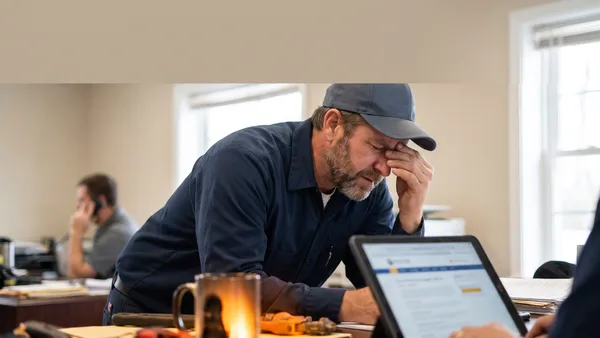
You finish installing a new water pump in a customer's basement, climb into your work truck, and decide to check your phone. You notice it's been days since a quote request came in through the website you built back in 2021. You open the link on your mobile browser, and the screen takes forever to load your services, the navigation menu won't respond, and the direct call button pulls up a blank page. In the local service industry, website maintenance for small business isn't an optional technical luxury—it's the difference between landing a new job or handing it straight to the competitor down the street.
Web technology evolves at a relentless pace. A site that worked flawlessly three years ago might now have outdated components that block incoming leads. For a plumber, painter, or general contractor, a broken website doesn't just leave a bad impression: it shuts off your daily cash flow.
Clear Signs Your Website Is Trapped in the Past
Many business owners assume a website is like a metal roadside sign: you set it up once and leave it there forever. The reality is much closer to your work truck's engine—it requires regular oil changes and routine checkups.
The first symptom of an outdated site is slow loading speed. Mobile browsers and your customers' cellular connections demand instant answers when a home emergency strikes. In fact, 53% of mobile visits are abandoned if a page takes longer than 3 seconds to load, according to Google. If a homeowner searches for an emergency plumber and your page doesn't open right away, they simply hit the back button and tap the next result.
Another frequent headache involves broken links and contact forms. Over time, web servers update their security protocols, which can cause older contact forms to stop delivering emails without showing any visible error. You think phone lines and inquiries have dried up, but your messages are simply vanishing into thin air.
The Impact on Google and Losing Local Customers
Google's top priority is delivering the best possible experience to searchers. When someone clicks your link, they expect clear information instantly, working phone numbers, and smooth browsing on small screens.
If visitors land on your site and leave after two seconds because the font is microscopic or buttons freeze, search algorithms register that your site isn't answering the user's needs. Week by week, your business starts slipping down the rankings behind competitors who actively maintain their mobile experience and technical health.
On top of that, web security standards shift constantly. Modern browsers openly display a “Not Secure” warning on sites with expired SSL certificates or outdated protocols. A homeowner looking to hire a general contractor for a kitchen remodel won't enter their name, address, or phone number on a site flagged with warning labels.
Want to know how your Google profile is doing? The audit is free.
Get your free auditActive Website vs. Abandoned Website: The Real Difference
Having a site online doesn't guarantee sales if nobody monitors how it performs. Here is what happens day-to-day when a business invests in routine maintenance versus leaving a website untouched:
| Technical Aspect | Up-to-Date, Maintained Website | Abandoned Website (2+ Years Old) |
|---|---|---|
| Load Time | Optimized to open in under 3 seconds | Slow due to accumulated data and heavy images |
| Mobile Experience | Clean tap targets and legible typography | Misaligned elements or buttons that are hard to tap |
| Security | Active backups and fortified software | Vulnerable to malware, spam, or browser warnings |
| Lead Capture | Tested forms, chat widgets, and click-to-call buttons | Broken forms that fail to notify the business owner |
Structured website maintenance protects the initial investment you made when creating your site. Instead of shelling out thousands of dollars every three years to rebuild everything from scratch, keeping your platform healthy preserves its commercial value and stretches its lifespan.
Immediate Responses: The Deciding Factor for Contractors and Trades
When a U.S. homeowner needs an AC repair in the dead of summer or a fallen tree removed after a storm, they aren't sending an email just to wait around until tomorrow. They want to know right now if you're available, which neighborhoods you serve, and whether you can give them an estimate.
An outdated page typically lacks modern communication channels. Many older setups still rely exclusively on a generic email link or a tedious ten-field form that nobody wants to fill out on a smartphone.
At WolfStack, we help local service companies capture these opportunities by integrating tools like WolfDesk to handle website and Google Business Profile messages 24/7 in English and Spanish, notifying owners immediately whenever a new lead comes in. When a prospective customer finds a quick, direct way to check pricing or availability, your chances of closing the job skyrocket.
What to Inspect on Your Website This Week
You don't need to be a professional web developer to gauge the health of your site. Set aside forty minutes this week and run this quick diagnostic right from your phone:
- Test the call button: Visit your site on mobile data (turn off Wi-Fi), tap your phone number, and verify that it opens your phone's dialer instantly.
- Send a test inquiry: Submit your own quote request form just like a new customer would, and track how long it takes for the notification to arrive in your main inbox.
- Audit your current services: Confirm that the cities you cover, the services you provide, and your recent project photos match your business's current operations.
- Look for the security padlock: Inspect your browser's address bar to ensure there is no “Not Secure” warning sitting next to your domain name.
If this quick walkthrough reveals laggy pages, unresponsive buttons, or inquiries that never reach your inbox, your site needs technical attention right away. A simple way to see how search engines evaluate your company and find what needs fixing first is to request a free Google Business Profile audit, which highlights the blind spots between your local map listings and your website.
Keeping your digital presence in working order isn't an ornamental expense. It is the automated sales engine running in the background while you're on the job site, in the shop, or meeting clients in the field. Giving it the care it needs ensures your phone keeps ringing week after week.
Frequently asked questions
How often should a local business website be updated?
Ideally, technical checkups should happen monthly to update software components and run backups. On a content and design level, a full review every year or two ensures your services, pricing, and service areas stay current.
Why did my website become slow if it used to load fast?
Over time, web platforms accumulate pending software updates, unoptimized images, and unnecessary data. Without ongoing maintenance, these elements overload the server and drag down loading speeds.
Can I handle my website's maintenance myself?
You can take care of basic tasks like checking if phone numbers work or uploading recent project photos. However, deep backups and core system updates usually require technical support to keep the site from breaking.
Is your Google profile costing you customers?
We review it for free and tell you what to fix first. Verified in your Google dashboard, no card required.